
Pause now.
Pick up where you left off.
A desktop downloader for HTTP/HTTPS links, magnets, and BitTorrent files. Download in parallel and resume interrupted transfers.
One-time purchase · 2 computers · perpetual license
The app is free to download. A license is required to start downloads.
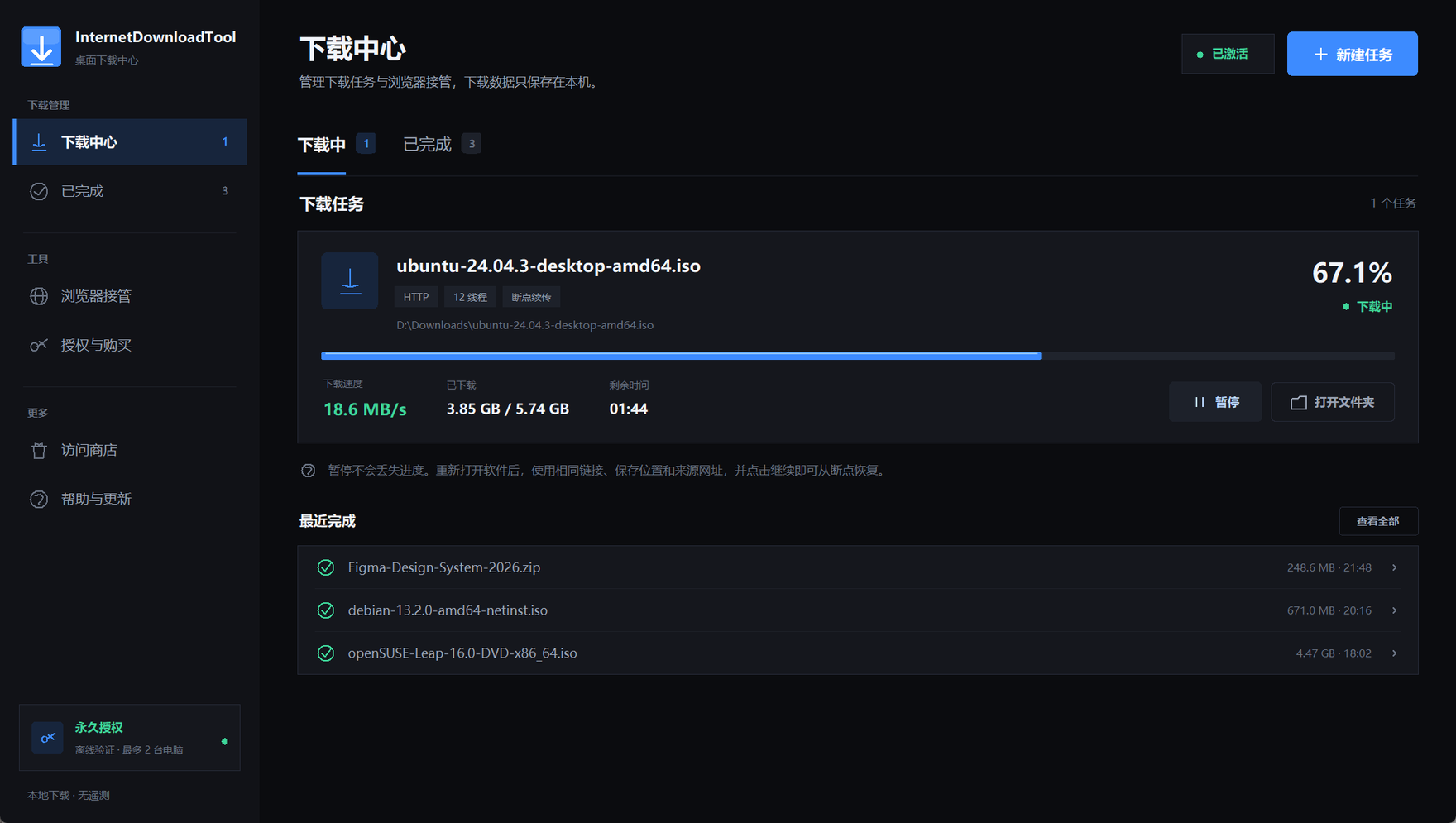
Resumable desktop downloads
A downloader you can read at a glance
Speed, size, remaining time and resume state stay visible while the transfer runs. The rest of the interface stays quiet.
What you get
A small, focused tool. No background service, no telemetry.
Parallel HTTP downloads
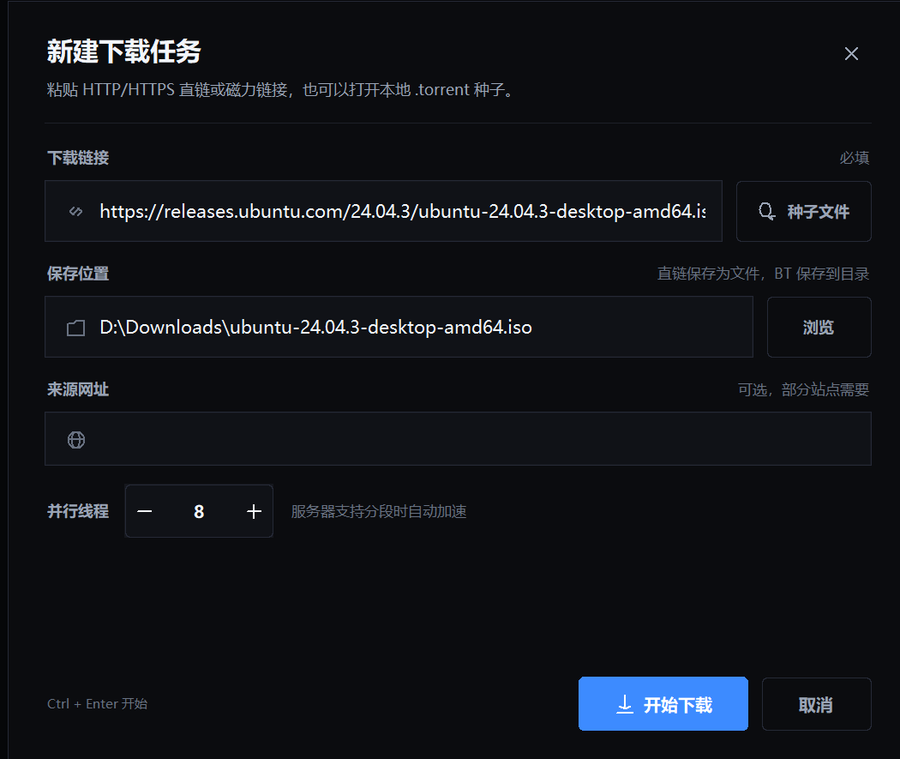
Use multiple connections when the server supports byte ranges.
Pause and resume
Pause a transfer and return with the same link and destination.
Chrome and Edge
Send browser downloads to the desktop app after connecting the included extension.
Magnets and BitTorrent
Open a magnet link or local .torrent file and choose a destination folder.
Offline license verification
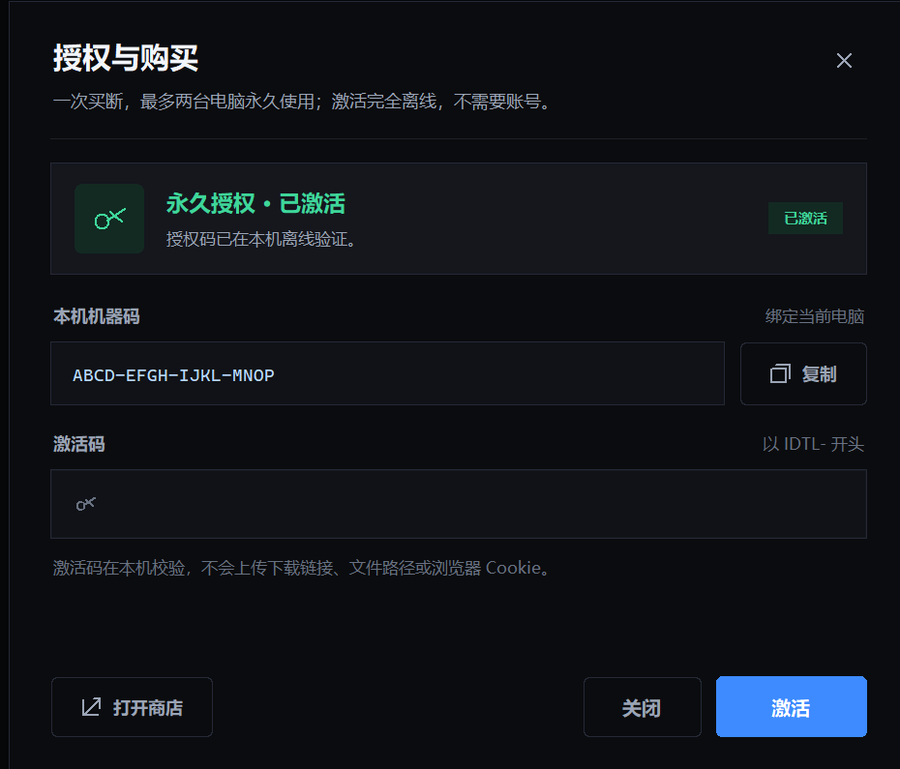
Enter the device code when claiming your license. The app verifies the activation code locally.
Command line
Run downloads and resume transfers from the terminal with the same device license.
What you get with a license
| Feature | Without a license | With a license |
|---|---|---|
| Start and resume downloads | — | Included |
| Email support | — | Email, 3 business days |
| Updates released within one year | — | Included |
| Offline activation code | — | Instant |
| Computers per license | — | 2 |
| Supports ongoing development | — | Yes |
Simple pricing
One-time purchase, no subscription. A paid license is required to use the app; the installer is free to download. You receive an offline activation code bound to your computer, and activation does not need an account or a network connection.
Secure checkout by Creem. Card payments and local payment methods supported by Creem.
- Full InternetDownloadTool app access
- Instant offline activation code
- 2 computers per license (offline codes)
- Perpetual use and one year of free updates
- Offline activation — no account or online check
Taxes are calculated at checkout. Creem handles VAT/GST and acts as the merchant of record.
Questions, answered
How is the activation code delivered?
Immediately after payment, the confirmation page asks for the machine code shown in InternetDownloadTool and generates an IDTL offline activation code. Keep the page link or use Find my key with your order email and order number.
What are the computer slots for?
Each order can issue codes for 2 different machines. Open InternetDownloadTool on each computer, copy its machine code, and claim a separate code for that device. Codes are verified offline by the app.
Is this a subscription?
No. Pay once and keep using the purchased release without renewal fees.
Which payment methods are supported?
Creem is the merchant of record and handles checkout, taxes, invoices and refunds. Available methods depend on your country and are shown on the Creem checkout page.
What is your refund policy?
If InternetDownloadTool does not work for you, contact support@yuan-xin.top within 14 days of purchase for a refund. Please include your order number and a short description of the problem.
Does the app send my file names anywhere?
The store does not receive your download links, file paths, or browser cookies. Downloads connect to the chosen servers or peers.
Does the app need a network connection to activate?
No. The activation code is verified offline with a public key built into InternetDownloadTool. You only need the network to receive the code; after that you can activate without an account or an online check.
Can I download the installer for free?
Yes. Download and open the app before buying to view your device code. Starting downloads requires a license.
What happens when the included update year ends?
The version you already own keeps working offline. Releases published more than one year after your purchase are outside the included updates. If the app rejects a newer build, download an older release from the Releases page whose release date is within your update window; your activation code stays valid.
Download InternetDownloadTool v1.1.0
Windows x64, macOS 15+ on Apple Silicon, and Ubuntu 24.04 x64. Extract the package and open the app.